

141 字
1 分钟
Mac提示App已损坏
- 启用任何来源
sudo spctl --master-disable输入密码后显示
Globally disabling the assessment system needs to be confirmed in System Settings.- 打开
系统设置-隐私与安全性,在底下找到安全性-允许以下来源的应用程序,修改为允许任何来源
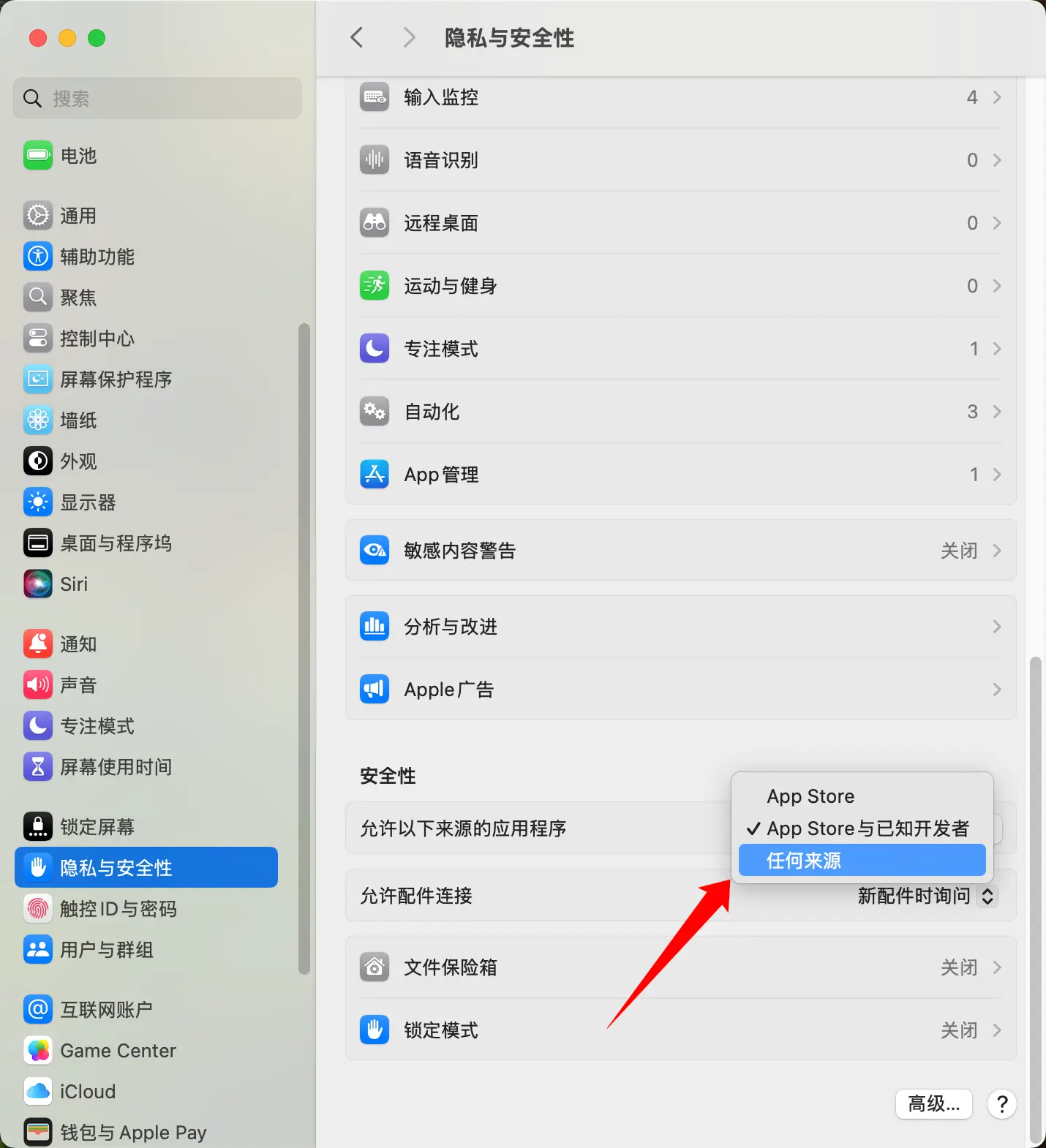
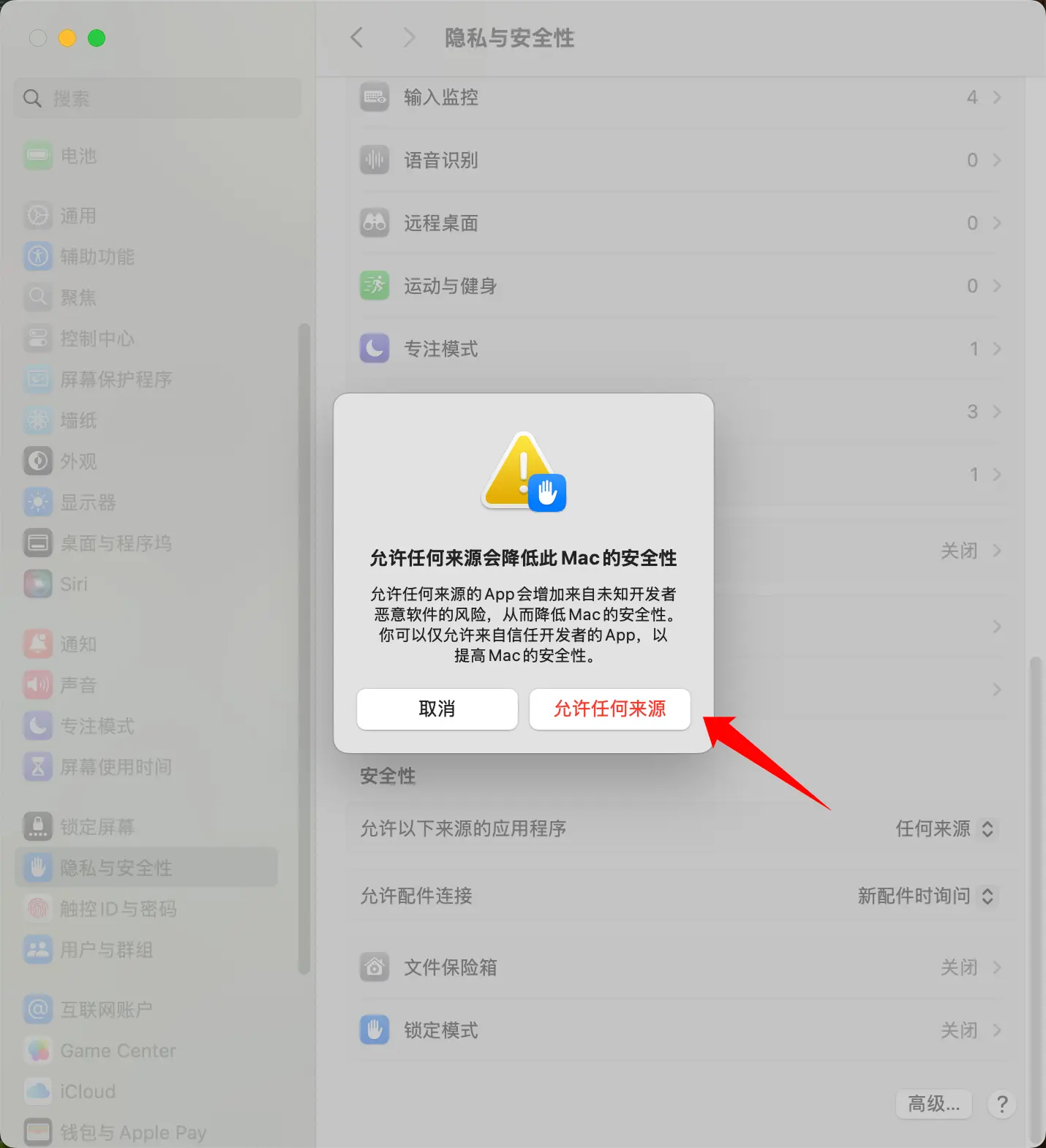
- 放行指定App
sudo xattr -rd com.apple.quarantine /Applications/xxx.app注意/Applications/xxx.app替换为你的App路径
- 设置完毕后关闭允许任何来源
sudo spctl --master-enable Mac提示App已损坏
https://www.smaritron.top/posts/mac-app已损坏/